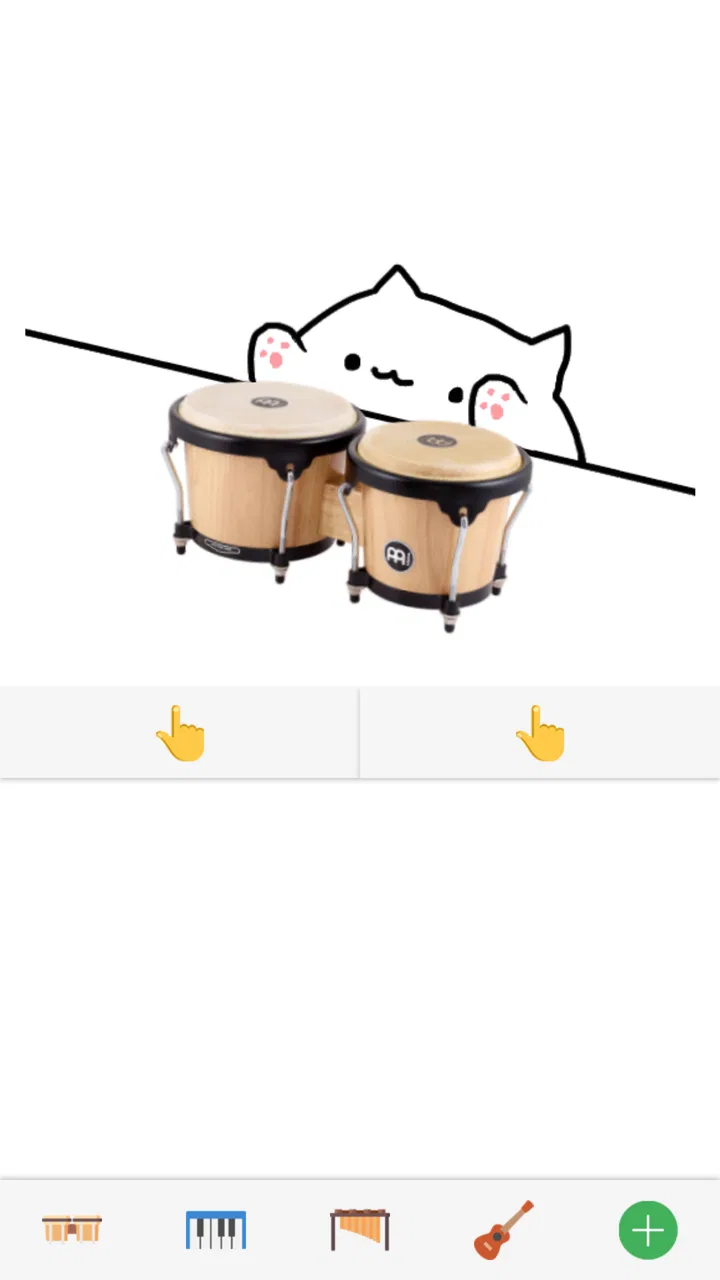
Bongo Cat: Musical Instruments
- 4.1
- Rating
- 1.00M
- Installs
- Free
- Price

 Analysis by App-foxy
Bongo Cat: Musical Instruments is the kind of small music game I open when I want a quick, cheerful distraction rather than a serious lesson. Developed by BudaCat, it turns the familiar Bongo Cat character into a playful way to interact with musical instruments. My overall view is simple: it works best as a light, tactile toy for short sessions, especially for children, casual players, and anyone who enjoys rhythm-themed apps without a steep learning curve.
The game is free, rated Everyone, and has attracted more than a million installs. That reach makes sense because the idea is immediately understandable: choose an instrument, tap around, and enjoy the character’s reactions and the sound-focused interaction. It does not ask me to study notation, build a complicated setup, or commit to a long campaign. I can pick it up for a few minutes and understand the appeal almost at once.
Why the simple idea works so well
The strongest part of the experience is its accessibility. Many music games begin by presenting notes, lanes, timers, or a song library that needs explanation. This one feels closer to a digital instrument toy. I do not need previous musical knowledge to get something out of it, and that makes it particularly approachable for a first-time player or a younger user exploring sound on a phone.
You May Also Like

 Blood Strike: 2.5 Anniversary
Blood Strike’s Loadouts Turn Every Drop Into a Tactical Gamble
A close look at Blood Strike’s custom loadouts: how fast access to signature weapons reshapes its battle royale rhythm, rewards preparation, and narrows the gap between fights.

 Pandora - Music & Podcasts
Pandora’s Music Is Easy to Start, but Harder to Recover
Pandora’s strength is its low-effort path from a seed to a station. Its weak spot is how much confidence it asks you to place in connection, setup, and quiet recovery.

 8 Ball Pool
 Is Built on Rivalries, Rematches, and Routine
A close look at the rivalries, rematches, shared routines, and unanswered safety questions that turn a quick pool match into a persistent mobile community.

 Samsung Music
’s Quiet Strength Is Playing What You Already Own
Its reach comes less from spectacle than from dependable access to a personal library. That simplicity is both the app’s strongest retention engine and its ceiling.

 AccuWeather: Weather Radar
AccuWeather Review: A Quick, Clear Forecast for Everyday Decisions
For everyday plans, the best forecast is the one you can understand quickly. AccuWeather makes rain timing, radar, and local conditions easy to act on, with a few trade-offs.

 Hill Climb Racing
Why Hill Climb Racing Still Turns Crashes Into One More Run
A tiny car, a bumpy hill and one more upgrade: Hill Climb Racing keeps resurfacing because its simple chaos makes every near-miss feel personal.
More From Our News Desk



The Bongo Cat theme also gives the game a friendly personality. A plain virtual instrument can feel like a tool, while this presentation feels more like a character-driven toy. That distinction matters during short sessions: the visual identity encourages experimentation, even when I am not trying to perform anything correctly. The experience is less about proving skill and more about seeing what happens when I interact with the available instruments.
In practice, I find it most enjoyable in small bursts. I might open it while waiting for an appointment, let a child try it during a quiet moment, or use it as a quick break between more demanding tasks. It does not need a large time commitment, and that is one of its clearest strengths. The game understands that a mobile experience can be worthwhile without trying to become a full console-style production.
Its music category is also handled in a more relaxed way than many rhythm games. There is no pressure to treat every tap as a test. That makes it suitable for players who like the sound and appearance of musical apps but become frustrated by strict timing challenges. If you are looking for a gentle introduction to tapping out patterns, this provides a less intimidating starting point than a competitive rhythm title.
One useful way to approach it is to treat each session as a tiny sound experiment. Rather than tapping randomly for a few seconds and closing the app, I get more from choosing a simple rhythm and repeating it with deliberate changes. Try a steady beat first, then alternate between two areas of the instrument, and finally leave pauses between taps. This turns a very simple interaction into a small exercise in timing and listening.
That approach is especially helpful with children. I would not present it as a formal music curriculum, but it can encourage basic ideas such as repetition, tempo, and listening for patterns. A parent can sit beside a child and ask them to make a slow rhythm, a fast rhythm, or a pattern that another person can copy. The game becomes more engaging when it is shared instead of treated as an endless tapping surface.
A better way to use it for short sessions
My favorite practical use is a five-minute rhythm challenge. I start with a simple beat, keep it consistent, and then change only one element at a time. For example, I may keep the speed steady while adding a pause, or switch from alternating taps to a repeated pair. This gives the session a purpose without pretending that the game is a professional instrument simulator.
Another useful habit is lowering expectations before opening it. If I want a structured song game with clear goals, scoring, and progression, I am likely to find the experience too lightweight. If I want a playful way to interact with musical sounds and a recognizable character, it fits much better. The same simplicity that makes it welcoming can also make it feel limited to players who need constant objectives.
The game’s popularity is reflected in its average rating of 4.1 from around seventeen thousand ratings, along with roughly thirteen hundred written reviews. I read that as a sign of broad appeal rather than proof that every player will find it deep. A game can be well liked because it is charming and easy to use, while still leaving experienced rhythm fans wanting more structure.
It is also worth noting that the current version is 2.6 and the game supports devices running Android 8.1 or later. For someone using an older phone or tablet, checking compatibility before planning to install it is sensible. On a supported device, the straightforward design should be less demanding than a visually intense music game, but compatibility still matters if the device is several generations old.
Where the experience starts to feel thin
The main weakness is that the concept can run out of surprise. Once I have tried the instruments and understood the basic interaction, the game does not automatically give me the depth of a rhythm campaign or the practical value of a real instrument-learning app. The initial charm is strong, but long-term motivation depends heavily on whether I enjoy free experimentation.
This is the important trade-off. A music-learning app is better if my goal is to understand chords, scales, reading, or technique. A conventional rhythm game is better if I want songs, accuracy targets, unlockable challenges, and a stronger sense of progression. Bongo Cat sits between those options as a casual musical toy. That middle position is appealing, but it also means it may not fully satisfy either serious learners or competitive players.
I would also avoid judging it by the standards of a physical instrument. Tapping on a phone screen can be entertaining, but it does not provide the same control, sound range, or tactile response as a keyboard, drum pad, or guitar. The game is useful for playful interaction and basic rhythm exploration, not for replacing equipment or building dependable performance technique.
Another limitation is session variety. If I open it without a small plan, I can quickly fall into repetitive tapping. The solution is not a hidden complicated mode; it is to bring my own structure. Short challenges, copying another person’s rhythm, or switching between slow and fast patterns help, but players who expect the app itself to keep delivering new goals may become bored sooner than they would with a content-heavy alternative.
That limitation is more noticeable for adults who already play music. Someone with experience on drums or piano may appreciate the playful presentation but may not find enough control to stay interested. For that audience, a dedicated virtual instrument or a rhythm game built around recorded songs would probably be a better everyday choice. This title is strongest when judged as a friendly, low-pressure game rather than a serious practice tool.
Who should give it a try?
I think it is a good fit for casual players who want something immediately understandable. It is also a sensible choice for families looking for a simple music-themed activity with an Everyone age rating. A child can explore it without needing to read complex instructions, while an adult can join in and turn the interaction into a small rhythm game played together.
It suits people who enjoy character-based mobile games, gentle tapping experiences, and short sessions. The free price removes the biggest barrier to trying it, so someone curious about the concept can see whether the novelty works for them without treating the installation as a major commitment. I would recommend starting with a few focused sessions rather than expecting a large game to unfold over time.
It is less suitable for anyone searching for a complete music course. If your aim is to learn an instrument in a progressive way, you will get more practical value from an app that teaches lessons and gives feedback on technique. Likewise, if you want an arcade challenge with songs and rankings, choose a dedicated rhythm title instead. This game does not need to compete with those products because it offers a different kind of relaxation, but the distinction should be clear before downloading.
It may also disappoint players who need a strong reward loop. I enjoy games with levels, missions, and measurable improvement, and this is not where I would go for that kind of motivation. Its appeal comes from immediacy and personality. If those qualities are not enough to keep you engaged, the experience can feel more like a novelty than a game you return to regularly.
Small details that improve the decision
For a shared family session, I would hand the device to one person at a time and ask each player to create a short pattern for the next person to copy. This makes the game social without requiring extra equipment or complicated rules. It also reveals whether the player enjoys the actual musical interaction or is interested only in the character’s appearance.
For solo use, I recommend setting a clear stopping point. Because the interaction is so easy to begin, it is tempting to keep tapping without noticing that the session has become repetitive. A short timer or a personal challenge keeps the experience fresh and makes the game work well as a break rather than an activity that needs to fill an entire evening.
If you are comparing it with a standard virtual piano or drum app, think about your priority. Those alternatives usually make more sense when sound control and practice accuracy matter. This game makes more sense when the character, simplicity, and playful presentation matter. If you are comparing it with a major rhythm game, ask whether you want freedom or direction: this offers the former, while song-based games usually provide more of the latter.
The release history also helps explain its place today. It first appeared in September 2018, so I do not approach it as a brand-new showcase for mobile music technology. Instead, I see it as an established, compact concept that has remained recognizable because the central joke and interaction are easy to understand. That age is not automatically a problem, but players expecting modern depth or a constantly expanding feature set should keep their expectations modest.
My final recommendation is positive, with a clear condition: try it if you want a cute, free music game for quick experimentation, not if you need a complete rhythm system or instrument tutor. BudaCat has made the central interaction approachable and pleasant, and the Everyone rating makes it easy to consider for a broad audience. The game earns its place through charm and immediacy rather than depth.
After using it, I would describe Bongo Cat: Musical Instruments as a pleasant digital toy with enough musical character to make short breaks more enjoyable. Its best quality is that it invites almost anyone to start playing immediately. Its biggest drawback is that the same simplicity can limit replay value. Choose it for relaxed tapping, shared rhythm experiments, and a friendly music-themed distraction; skip it when structured progression or serious practice is your priority.
FAQs for Bongo Cat: Musical Instruments
01What is Bongo Cat: Musical Instruments?
Bongo Cat: Musical Instruments is a casual music app centered around the popular Bongo Cat character. It lets you interact with virtual instruments and create playful sounds by tapping, touching, or triggering different on-screen elements. The experience is designed more for entertainment and experimentation than professional music production, making it suitable for quick sessions, amusing sound effects, and casual rhythm practice.
02How do you play Bongo Cat: Musical Instruments?
The controls are generally easy to understand, even if you have never used a virtual instrument app before. After opening the game, you can tap the displayed instruments or musical objects to produce sounds and rhythms. Depending on the version and available modes, you may be able to switch instruments, follow simple patterns, or freely experiment. Headphones can make the sound effects clearer, especially in noisy surroundings.
03Is Bongo Cat: Musical Instruments suitable for children?
The app is generally approachable for children because its controls are simple, colorful, and based on tapping the screen. It can encourage curiosity about rhythm and musical sounds without requiring previous experience. However, parents should still review the app’s age rating, advertising behavior, and any in-app purchase options before installation. Younger children may also need guidance to avoid accidental purchases or external links.
04Does Bongo Cat: Musical Instruments require an internet connection?
Basic interactions may work without a constant internet connection, which makes the app convenient for short periods of offline entertainment. Nevertheless, some features can depend on connectivity, including advertisements, updates, analytics, or online content supplied by the developer. Availability may also differ between Android and iOS versions. If offline access is important to you, test the main instruments after installation rather than assuming every feature will work without internet.
05Is Bongo Cat: Musical Instruments free to download?
Bongo Cat: Musical Instruments can typically be downloaded at no initial cost, but the exact monetization model may vary according to the platform and current release. Free versions may include advertisements, optional purchases, or additional content that requires payment. Before downloading, check the official Google Play or App Store listing for the latest information about ads, permissions, subscriptions, supported devices, and any charges associated with unlocking extra features.
Pros
- Simple controls make it easy for beginners to play immediately.
- Offers a playful way to experiment with different musical instruments.
- Bright animations make performances feel lively and entertaining.
- Works well for short
- casual sessions without demanding much commitment.
- Suitable for children and family-friendly entertainment.
Cons
- Limited depth may disappoint experienced musicians seeking advanced tools.
- Repeated sounds and animations can become monotonous over time.
- Some features may be restricted behind ads or in-app purchases.
- Timing and sound options may not match the precision of real instruments.
- Requires careful tapping on smaller screens for comfortable play.

Bongo Cat: Musical Instruments
Gallery